
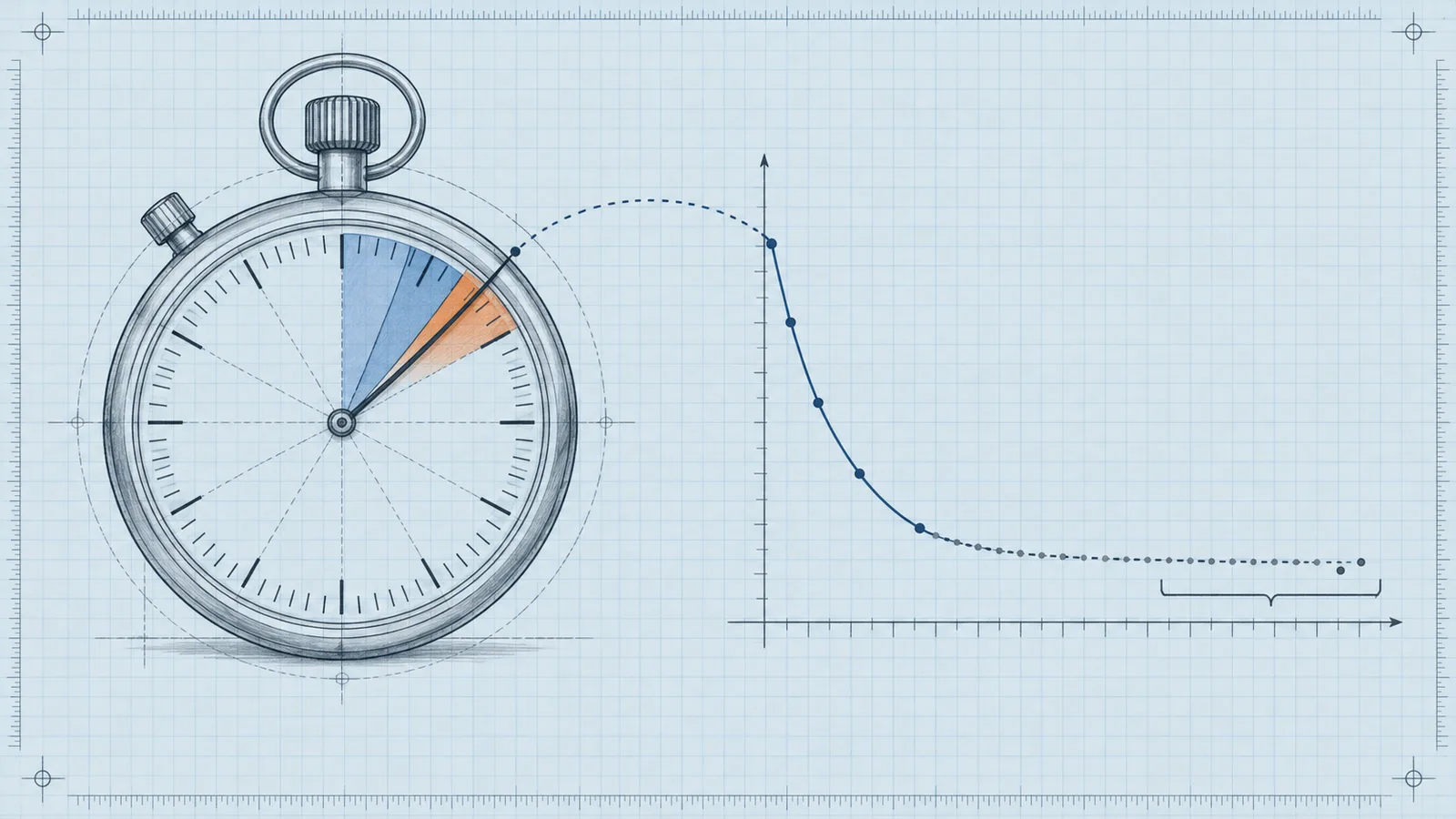
A header bidding auction can only last as long as the timeout you give it. Set bidderTimeout to 3000 ms and a mobile user on a slow connection may wait three full seconds before the ad server call even starts, which pushes render time past the point where viewability and Core Web Vitals hold up. Set it to 500 ms and fast demand partners bid well, but slower exchanges carrying premium CPMs get cut off. The right number sits between those two failures, and this article covers the arithmetic for finding it, working defaults for web, app and CTV, and a repeatable method for tuning the value against your own bid data.
What the Prebid Timeout Actually Controls
Prebid.js starts an auction when a placement enters the page, or the viewport with lazy loading, and stops it when the clock runs out. You set the global limit in milliseconds through setConfig, as documented in the setConfig bidderTimeout reference: pbjs.setConfig({ bidderTimeout: 3000 }) applies to every bidder in the auction unless you override it per bidder or per request. Bidders that respond before the deadline join the auction. Bidders that miss it contribute nothing, and the ad server call fires anyway with whatever bids exist.
That is the core trade-off: every millisecond of timeout is a millisecond of potential revenue protection bought with a millisecond of potential page delay. In practice, most auctions finish before the timeout because most bidders respond within a few hundred milliseconds. The timeout is insurance against the slow tail, and like all insurance it carries a premium. You pay that premium on every impression, but you collect the payout only when a slow bidder would have won the auction at a higher price.
The Arithmetic of a Header Bidding Auction
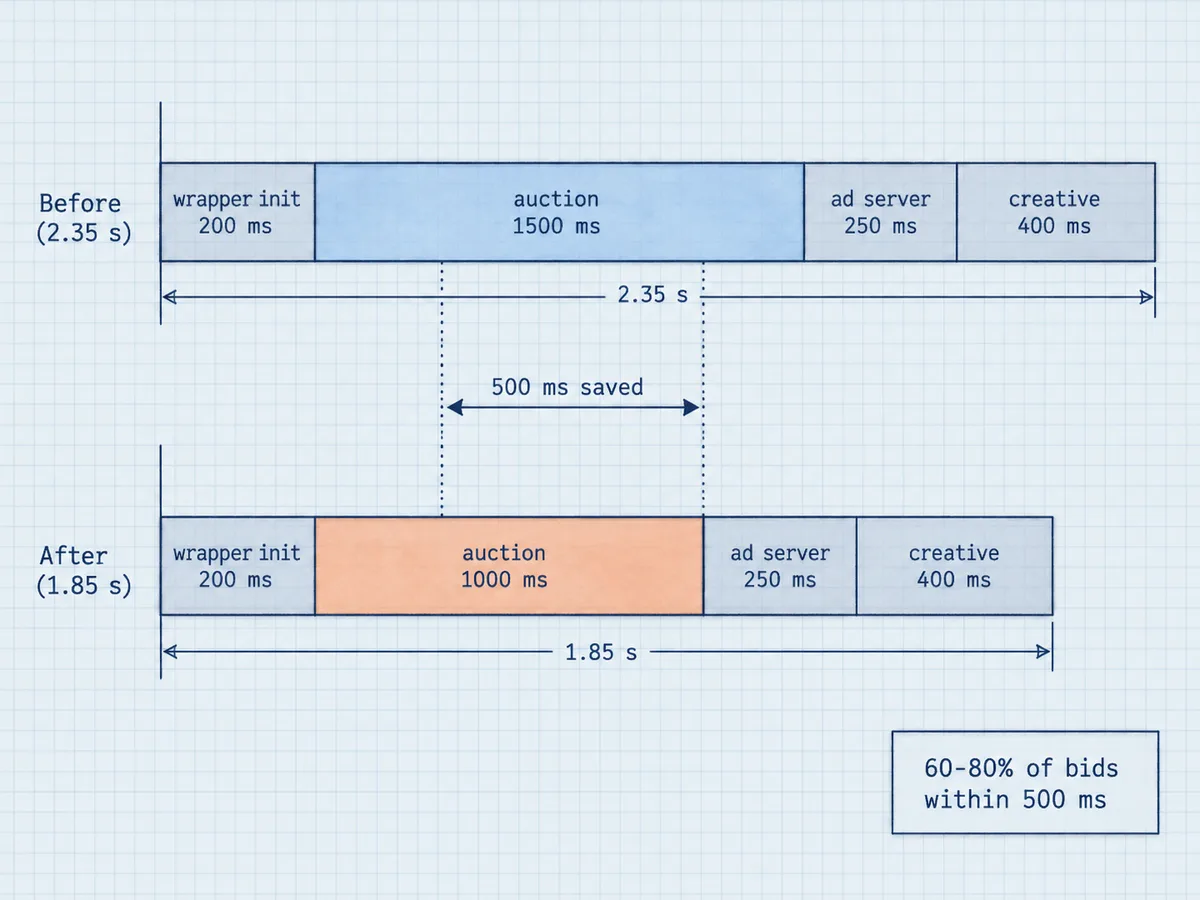
Total ad latency breaks into four parts: wrapper initialization, auction time, the ad server round trip, and creative download plus render. Suppose the wrapper takes 200 ms to initialize, the auction runs its full 1500 ms timeout, the ad server call takes 250 ms, and the creative takes another 400 ms to download and render. The ad then appears roughly 2.35 seconds after page load. Cut the timeout to 1000 ms and the same stack renders around 1.85 seconds, a 500 ms saving that applies to every impression where the slow tail actually binds.
Notice the qualifier: where the slow tail binds. If every bidder responds within 600 ms, a 1500 ms timeout and a 1000 ms timeout produce identical latency. The timeout only costs its full value on impressions where at least one bidder would have kept bidding past the shorter limit. The revenue question is whether the bids captured in that extra window are worth the delay on every affected impression.
Bid response data almost always follows a steep curve. In a typical setup, 60 to 80 percent of bids arrive within the first 500 ms, and the remaining bids thin out quickly after 1000 ms. The last 500 ms of a 2000 ms timeout might capture 2 to 4 percent more bids, and those bids must then win the auction at a higher CPM than the bids you already hold to add any revenue at all. This is why long timeouts rarely pay: marginal bids arrive late, and late bidders tend to run slower infrastructure, which often correlates with lower-quality demand.
Why Long Timeouts Cost More Than They Earn
Latency does not just annoy users, it compounds against revenue through three mechanisms. First, Core Web Vitals factor into search ranking, and ad code is a common culprit. Google's guidance on third-party script performance costs shows that many third-party scripts slow pages even when they load asynchronously, because they still compete for the main thread and the network. Second, viewability drops as render time rises. An ad that renders after the user has scrolled past its slot earns fewer measurable impressions and therefore less money. Third, slow pages reduce session depth, which shrinks total impressions per user across the whole site.
None of these costs show up in your header bidding dashboard, which is exactly why timeout creep happens. A publisher raises the timeout from 1500 ms to 2500 ms, sees a small CPM bump in reporting, and declares victory, while the page speed regression quietly erodes traffic and viewability over the following weeks. The dashboard measures the auction. The user measures the page. Timeout tuning has to satisfy both.
Concrete Defaults That Work
Defaults differ by environment because network conditions and auction mechanics differ. These ranges reflect what we typically see working across publisher inventory, and they are starting points, not final answers:
- Desktop web: 1200 to 1800 ms. Wired connections and mature demand stacks rarely need more.
- Mobile web: 800 to 1400 ms. Cellular latency makes every millisecond more expensive in user terms.
- In-app: 700 to 1000 ms. SDK auctions run faster than browser auctions, and app users abandon slow screens quickly.
- CTV and OTT: 3000 to 5000 ms. Server-side auctions over VAST tolerate longer windows, and viewers do not scroll, so latency costs less per millisecond.
If you run Prebid Server alongside client-side Prebid, remember that Prebid Server trims a safety buffer off the timeout you pass it to protect the ad server call, so a 2000 ms client-side budget may leave the server-side auction considerably less than you intended. Read the Prebid timeout management documentation before you stack client and server timeouts, because the interaction between the two layers is a common source of accidental overruns and mysterious missing bids.
A Repeatable Adjustment Method
Guessing at timeouts wastes traffic. Work through this sequence instead:
- Instrument first. Enable a Prebid analytics adapter or pull bid-level timing data so you can see, per bidder, when bids actually arrive.
- Build the bid density curve. For each 100 ms bucket after auction start, record what share of bids arrive and what those bids are worth. Most of the value concentrates in the first few buckets.
- Find the knee. Identify the point where an extra 100 ms adds less than 1 percent to total bid value. That point is your candidate timeout.
- Price the latency. Estimate what the candidate timeout costs in render time and viewability, and translate the revenue side with our CPM calculator so you compare the CPM of the marginal bids against the session-level value of the speed you keep.
- Step down in small increments. Move the timeout down 200 ms at a time, hold each setting for a week of comparable traffic, and watch revenue per session rather than CPM alone.
- Verify with an A/B split. Run the old and new timeouts across matched traffic segments before you commit to the change.
Step 5 deserves emphasis: revenue per session is the honest metric because it absorbs both the CPM effect and the traffic effect. A timeout change that raises CPM by 2 percent while slowing pages enough to cut page views per session by 3 percent is a net loss, and session-level reporting is the only place that loss becomes visible. Auction-level dashboards will show the win and hide the cost every single time.
Metrics That Decide the Setting
Track four groups of numbers while you tune:
- Auction metrics: bid rate, bid density over time, timeout hit rate per bidder.
- Revenue metrics: CPM, fill rate, revenue per session.
- Speed metrics: time to first ad, Largest Contentful Paint, Interaction to Next Paint.
- Quality metrics: viewability, and layout shift caused by late-loading ads.
A timeout is correct when the timeout hit rate sits in the low single digits and the marginal bid value past your cutoff is small. If a single bidder times out constantly, the fix is per bidder, not global: remove that bidder, renegotiate its integration, or route it through Prebid Server rather than inflating the timeout for every partner in the auction. Punishing your whole demand stack for one slow member is the most expensive version of this mistake.
How We Handle Timeouts at WireAds
We run Prebid, OpenRTB, Google MCM and Google AdX demand plus direct agency deals through the WireAds SSP, and we treat timeout hygiene as part of demand quality, not a publisher-only problem. We monitor p95 and p99 response times for every demand partner, and partners that cannot respond inside competitive windows get filtered or moved server-side rather than allowed to drag auction latency for everyone. Premium demand that answers fast is worth more than premium demand that answers late, because a bid that misses the deadline is worth exactly zero. Our strict ad filtering removes unwanted creative, and our Net 30 payment terms keep the economics simple while you tune.
Publishers who want hands-on help with this work can start with our Prebid management service, where we audit auction timing, prune slow bidders, and set per-placement timeouts based on your actual bid data instead of industry folklore. We work globally across web, app and CTV, and the same discipline applies in each environment: measure the bid density curve, cut the window where marginal value dies, and let fast premium demand win on its merits.
Common Timeout Mistakes
The same errors repeat across publisher setups:
- One global timeout for everything. Above-the-fold slots on fast pages and lazy-loaded slots tolerate different windows than below-the-fold slots on long article pages. Per-placement and per-device timeouts beat a single number.
- Raising the global timeout for one slow bidder. You tax every impression to accommodate one partner. Use per-bidder timeout overrides or drop the bidder.
- Ignoring the ad server side. Google Ad Manager applies its own timeout to the creative, and a long Prebid timeout plus a slow creative load produces the worst of both layers. Budget the whole chain, not just the auction.
- Treating timeout as a revenue lever. If bid density is thin, more time rarely helps. Better demand, better price floors, and better filtering do.
- Never re-testing. Bidder response times drift as demand partners change infrastructure. Revisit the bid density curve quarterly.
Timeout optimization is not a one-time project. Your demand mix changes, your traffic mix changes, and the correct number drifts with them. The publishers who win here instrument the auction, price the marginal value of every extra 500 ms, and cut the window the moment the data shows the insurance costs more than the payout.