
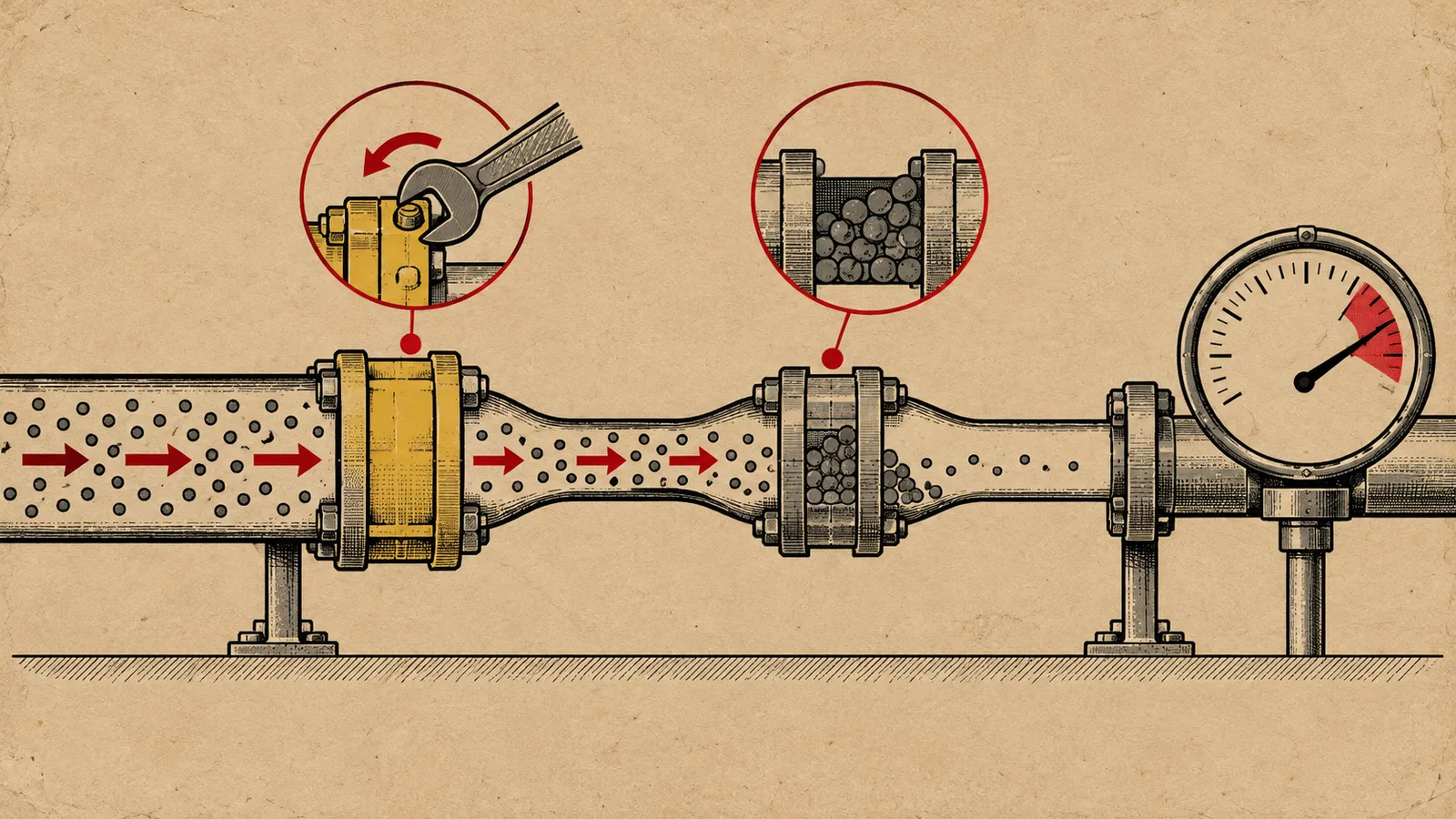
A fill rate below 70 percent on Google Ad Exchange inventory almost never has a single cause. It usually results from a stack of small failures: a line item that stopped delivering, an ads.txt entry that blocks a buyer, a format change that shrank your bid requests, and a demand pool too thin to bid on every impression. Ad operations teams that treat low fill as one problem tend to chase the wrong fix for weeks. Teams that triage it in a fixed order typically isolate the cause within a day.
This guide walks through that triage order. We start with the failures you can verify in your own Google Ad Manager account, then move outward to inventory configuration, and finish with the demand-side fix: adding competing demand beyond AdX through header bidding and an SSP. The sequence matters, because fixing demand depth before you repair a broken line item wastes money on impressions that were never going to fill anyway.
What fill rate actually tells you
Fill rate is the number of impressions served divided by the number of ad requests sent. In Google Ad Manager you can read it per ad unit, per geography, per device, and per key-value segment, and that granularity is where diagnosis happens. A site-wide fill rate of 75 percent can hide a 95 percent fill on desktop and a 40 percent fill on mobile web in a tier-two geo, which are two completely different problems.
Before you change anything, segment the drop. Pull fill rate by ad unit size, by country, by device, and by day for the last 30 days. Ask three questions. Did fill drop suddenly on a specific date, or has it eroded over weeks? Is the drop concentrated in one ad unit size or one geography? Did total impressions drop along with fill rate, or did impressions hold steady while unfilled requests climbed?
A sudden single-date drop points to a configuration change: a new line item, an ads.txt edit, a floor price update, or a tag change. A slow erosion across all segments points to demand-side pressure: seasonality, category softness, or buyers shifting budget to other formats. A drop concentrated in one segment points to a local problem, such as a placement change that broke viewability for one size. Write down the answers, because they determine which triage steps below apply to you.
Rule out technical failures before blaming demand
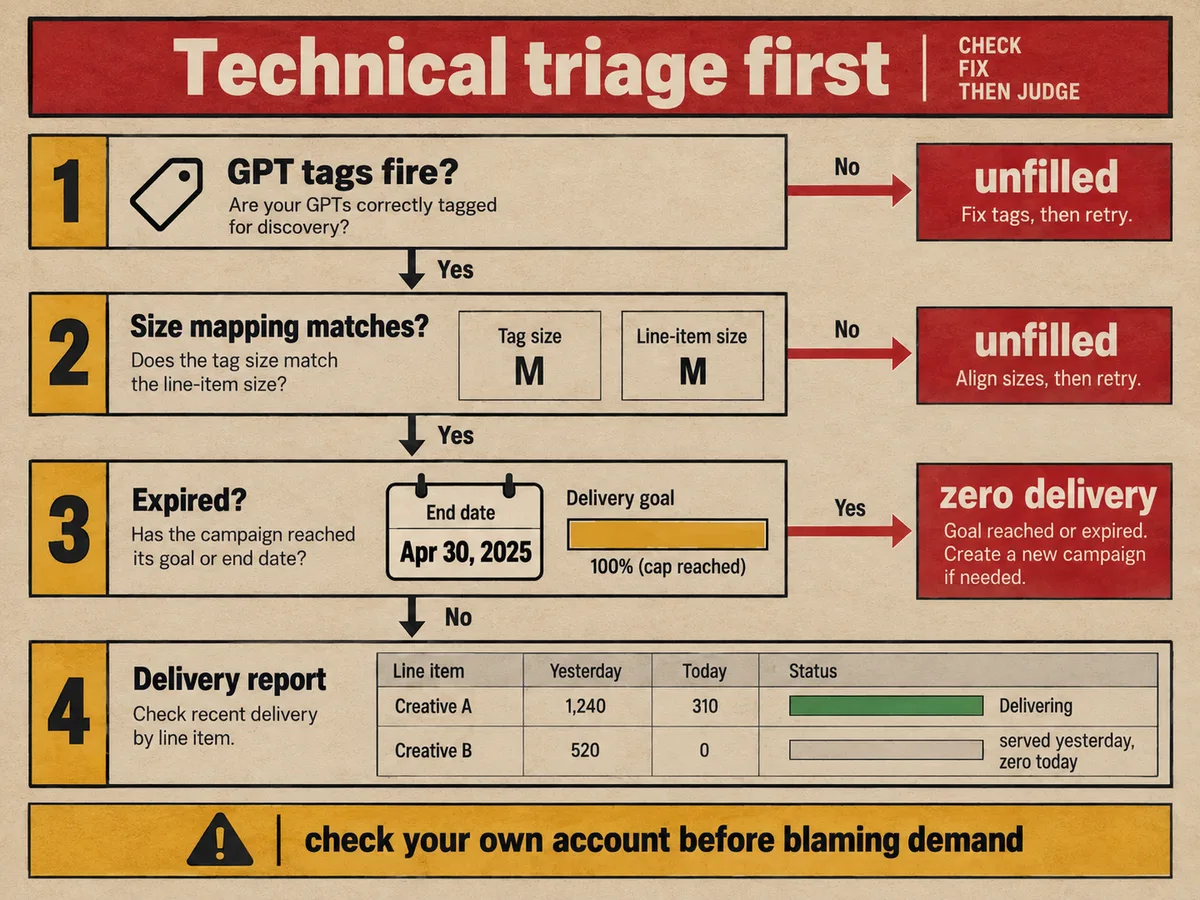
The most common mistake we see: a publisher with a 20 percent fill drop concludes that AdX demand has dried up, adds demand partners, and sees no improvement. The actual cause sits in their own account. A line item paused by a colleague, a trafficking error in a roadblock, or an expired creative blocks the top of the stack, and every request falls through to lower-paying or empty paths.
Start with the basics that take ten minutes to check. Confirm your GAM ad tags still fire on every page. Open your site in a browser with the network tab visible and verify each GPT request returns a response. Check that the ad units in your tags match the ad units defined in GAM, including exact size mappings. A mismatch between the size defined in the tag and the size eligible in the line item produces bid requests that no line item can match, and GAM logs them as unfilled.
Next, verify nothing expired. Creatives carry end dates, deals carry end dates, and some line items carry impression goals that hit their caps. When a guaranteed deal exhausts its budget mid-month, the impressions it used to capture become unfilled requests unless something else bids on them. Check your delivery report for line items that served yesterday but serve nothing today. Google documents this diagnostic path in its guide to troubleshooting line item delivery, which walks through reviewing recent changes and identifying non-delivering line items. Follow it before you touch anything else, because recent account changes cause more fill drops than demand shifts do.
Diagnose line item delivery in Google Ad Manager
Once you confirm the tags fire correctly, drill into line item delivery. In GAM, open the delivery report for the affected ad units and look at the last 14 days. You want to see which line items stopped serving and which picked up the slack. A healthy stack shows several line items sharing delivery. A broken stack shows one line item at zero impressions while a remnant line item absorbs everything at a fraction of the CPM.
Check the obvious culprits in order. Look for line items in a paused or expired state. Look at pacing: an end-date line item that hit its goal early stops delivering, and the inventory it covered goes unfilled if no backfill path exists. Look at targeting conflicts: a line item targeted to a key-value that no longer passes values will never match a request, and GAM will not flag it for you. Look at creative approval status, because a rejected creative silences the entire line item.
Then examine the competition settings. If a sponsorship or standard line item with a high priority wins every request but carries a narrow creative size, it blocks lower-priority line items from bidding on the mismatched sizes. GAM's OpenRTB-based dynamic allocation should let AdX compete, but only where the ad request structure allows it. Run the "possible creatives" diagnostic on a sample ad unit to confirm each size has at least one eligible path from top priority down to dynamic allocation. An ad unit size with no eligible line items and no dynamic allocation eligibility fills at zero percent, and no amount of demand fixes that.
Fix ads.txt verification errors
Ads.txt problems produce a specific and deceptive symptom: fill rate drops for some buyers while others serve normally, and the publisher sees no error inside GAM. The reason sits outside your account. When your ads.txt file lists a seller incorrectly, or when an Authorized Buyers reseller cannot verify its entry, Google blocks that buyer from bidding on your inventory. The requests still go out, the buyer still sees them, but bids get rejected at the verification step. You experience it as missing fill.
Audit the file itself. Open your ads.txt at the root domain and confirm every line follows the correct format: publisher ID, the exact account number, DIRECT or RESELLER in uppercase, and the exchange domain. Confirm the file sits on the exact subdomain that serves the ads, because a file on the apex domain does not cover a subdomain with its own host. Confirm every entry you claim corresponds to a real relationship, and confirm no partner you work with is missing from the file.
Google's documentation on fixing ads.txt verification errors explains the mechanism plainly: unverified ads.txt blocks Authorized Buyers and causes unfilled requests. If you recently added or removed a demand partner, treat the timing as your primary clue. An ads.txt edit that drops a single character from an account ID can remove an entire buyer's demand within hours. The same discipline applies to app-ads.txt for app inventory and to your sellers.json entries, because buyers cross-check both files against the SupplyChain object before they trust your impressions. A mismatch in any of those three files lowers the prices buyers will risk, and some buyers step out entirely.
Check placement and format changes that shrink bid requests
Fill rate math punishes format changes twice. If you remove an ad slot or change a size, total requests drop, and if the remaining slots carry weaker viewability, fill drops too. Publishers often misread this as a demand problem because the GAM fill rate report moves at the same time as a template redesign or a consent flow update. Google covers this pattern in its guidance on why impressions decline: impression drops often trace to placement or format changes rather than buyer behavior.
Audit your recent site changes against the fill rate timeline. Did you move an ad unit below the fold or into a lazy-load trigger that fires too late? Lazy loading saves bandwidth, but a slot that requests an ad only when it approaches the viewport gives buyers less time to return a bid, and some buyers skip slow requests. Did you change the size mix away from formats buyers prefer, such as replacing a 300x600 with a fluid unit? Did you add a consent management platform or a Global Privacy Control response that strips signals buyers need? Each of these changes reduces the number of requests that convert to impressions.
Also check the signals you pass. Requests without a valid TCF consent string earn sharply lower bids in Europe, and some buyers decline to bid at all, which reads as a fill problem. Requests without the SupplyChain object invite lower bids from cautious buyers. Viewability matters as well: buyers track the measured viewability of the inventory they buy from you, and when it falls, they cut bids or exit, and fill follows. Fix the placement first, then confirm the signals, and only then judge whether demand depth is the real constraint.
Audit demand depth and floor prices
When the technical layer checks out, the remaining cause is structural: not enough buyers bid on each impression, or the bids they submit fall below your floor. Both look identical in a fill rate report, so separate them with bid data. In GAM, pull the "dynamic allocation" reports and look at bid distributions per ad unit. If buyers bid actively but your floors reject most bids, you have a pricing problem. If few buyers bid at all, you have a demand depth problem.
Floor prices deserve the first look because teams raise them during high-CPM seasons and forget to lower them. A floor set for December traffic in February rejects a large share of bids, and rejected bids register as unfilled requests. Test floors empirically: lower them on a subset of ad units for a week and watch both fill rate and revenue. Revenue often rises when fill rises, because the incremental impressions outweigh the lower average CPM. Hold floors steady during the test, because a floor that changes daily makes the data unreadable.
Demand depth is the harder problem. AdX aggregates substantial buyer demand, but no single exchange covers every geography, every format, and every audience. Requests from small markets, unusual formats, or off-peak hours receive fewer bids. Cookieless traffic and app traffic without strong identifiers receive fewer bids. When one exchange provides your only demand, its fill rate is your ceiling, and its floor pricing strategy becomes your pricing strategy. That structural gap leads directly to the last fix in this guide.
Add competing demand through header bidding
Header bidding attacks the demand depth problem directly. Instead of offering each impression to one exchange in sequence, header bidding invites multiple demand partners to bid on the same impression at the same time, before the ad server chooses. Prebid.js runs this auction client-side on web, Prebid Server runs it server-side for apps and connected TV, and both speak OpenRTB so every exchange receives the same impression data. The auction picks the highest bid, and GAM's dynamic allocation lets AdX compete against it.
The mechanics matter for fill rate specifically. Header bidding adds buyers who never saw your impressions before: regional exchanges, DSPs with local budgets, and direct deals from agencies. Each additional bidder raises the probability that at least one bid clears your floor. The same mechanism improves CPMs, because AdX faces real competition instead of bidding just above the next best option. Publishers typically see fill rate and CPM move upward together when they add two to four credible demand partners, provided the implementation stays clean.
Keep the setup disciplined. Cap the number of bidders to protect latency, because a header bidding auction that runs past 1.5 seconds loses bids and page views. Set a timeout that matches your users' patience, typically 1,000 to 2,000 milliseconds. Use Prebid Server for app and CTV inventory where client-side code performs poorly. Pass the SupplyChain object from every partner so buyers can verify your inventory, and keep your ads.txt in sync with every bidder you add, or you will recreate the verification problem from the previous section. If you want a deeper walkthrough of the setup, our header bidding guide covers the implementation in detail.
WireAds as the added-demand fix
We built our WireAds SSP for exactly the scenario this article describes: technically healthy inventory that AdX alone cannot fill. We combine Prebid, OpenRTB, Google MCM, Google AdX demand, and direct deals from global and local brand agencies, and we push all of it into a single auction so every demand source bids its true maximum on your ad spaces. That means a request AdX declines can still fill through an agency direct deal or an exchange buyer you had no access to before.
The quality side matters as much as the volume side. Our ad sources hold premium standards, and we filter unwanted ads strictly, so added fill does not come at the cost of your user experience or your brand. We work globally, in every country where Google monetization operates, across web, app, and CTV/OTT, so the geographies that drag your average fill rate down gain local demand rather than empty requests. We work on a CPM basis and pay Net 30, which keeps the added revenue predictable.
The integration follows the triage logic of this guide. You keep your GAM setup, your AdX relationship, and your existing line items. We enter as an additional demand source through header bidding, our bids compete in the same auction, and your ad server picks the winner per impression. If your fill rate investigation has cleared your tags, your line items, your ads.txt, and your floors, and the bid data still shows thin demand, the fix sits on the demand side. Contact our WireAds support desk and we will review your setup, identify which segments need added demand, and get your unfilled requests earning again.